H-Farm Summer School 2023
2023 · Flutter, AI, LLM
Day 1/2 - Getting Started with Machine Learning & Flutter
Marcello Politi**, who am I ?
Presentations
Present yourself, and tell me what do you expect from this course
Introduction
- What is an algorithm? In computer programming terms, an algorithm is a set of well-defined instructions to solve a particular problem. It takes a set of input(s) and produces the desired output. For example, An algorithm to add two numbers:
- Take two number inputs
- Add numbers using the + operator
- Display the result
- What is AI?
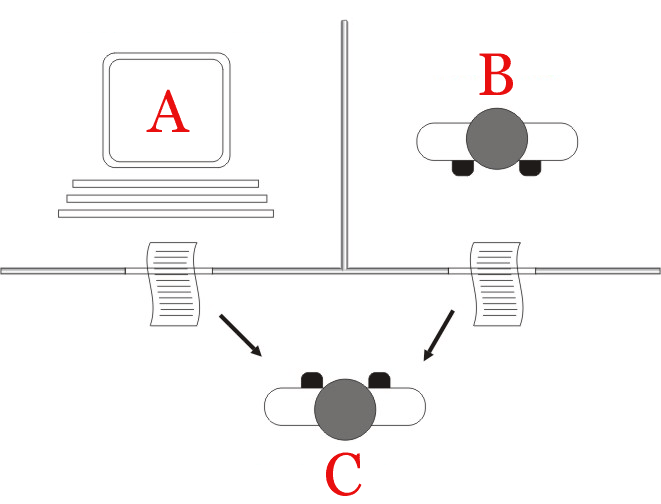
AI, or Artificial Intelligence, refers to the simulation of human intelligence in machines. It's about creating systems that can perform tasks that, when done by humans, typically require human-like intelligence.
These tasks can range from understanding language to recognizing patterns or making decisions.
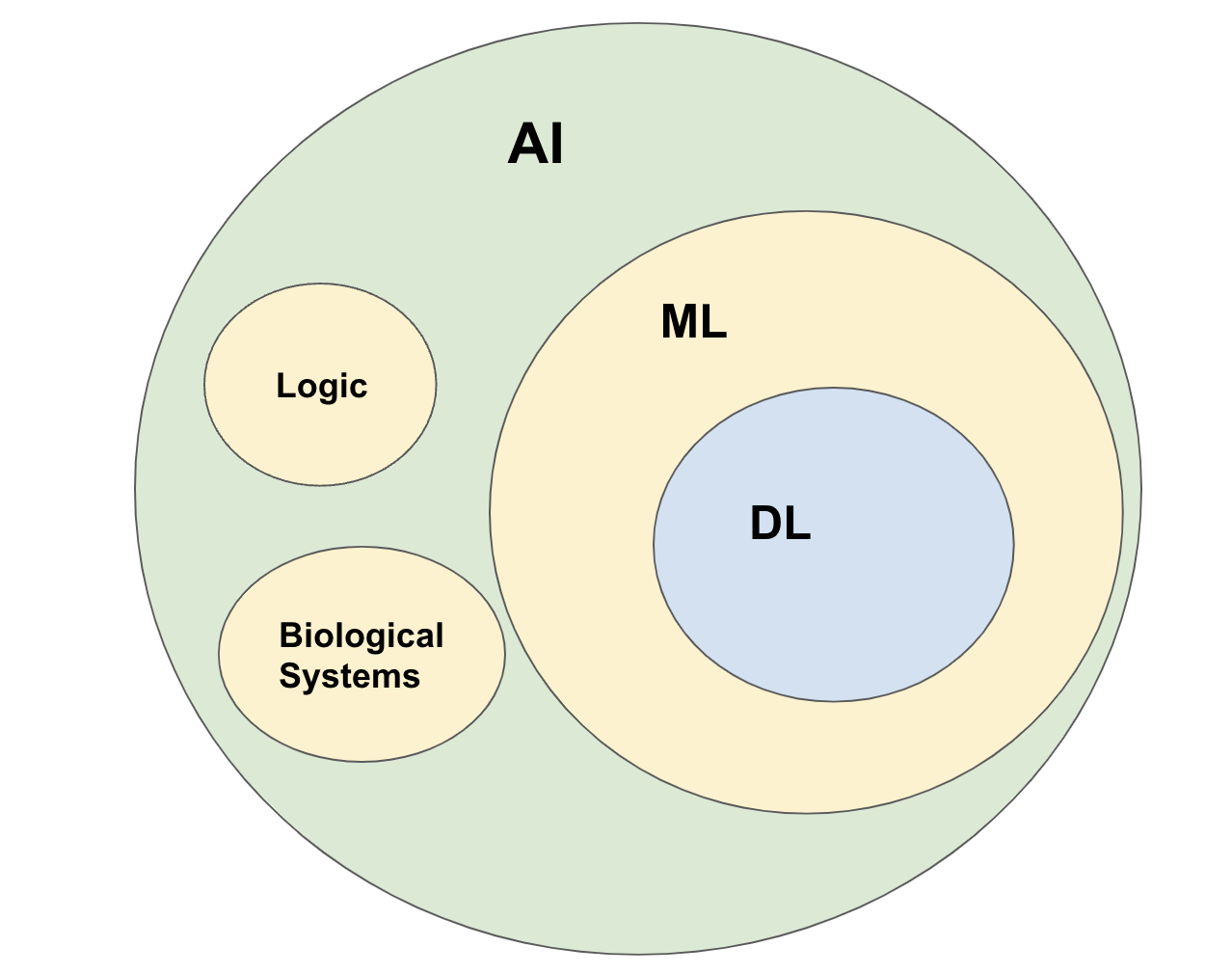
Here's a more detailed breakdown:
- Mimicking Cognitive Functions: AI aims to replicate or simulate human-like abilities such as learning, reasoning, problem-solving, perception, and language understanding.
- Machine Learning: At the heart of many AI systems is machine learning (ML). ML allows machines to learn from data. Instead of being explicitly programmed to perform a task, a machine learning model uses algorithms and statistical models to identify patterns in data and make decisions based on it.
- Neural Networks: These are inspired by the human brain's structure and function. Neural networks are interconnected layers of algorithms, termed neurons, that feed data into each other, and can be trained to carry out specific tasks by modifying the importance attributed to input data as it passes between the layers.
- Types of AI:
- Narrow or Weak AI: Designed and trained for a specific task. Virtual personal assistants, like Apple's Siri or Amazon's Alexa, are forms of narrow AI.
- General or Strong AI: This would have all the characteristics of human intelligence, including the abilities to understand, reason, learn from past experiences, and make decisions. It remains a theoretical concept and doesn't yet exist. (https://arxiv.org/pdf/2303.12712.pdf)
- Applications: Today, AI is used in a plethora of applications including speech recognition, image recognition, medical diagnosis, stock trading, autonomous vehicles, and video games, among many others.
- Challenges: While AI can be powerful, it comes with challenges like bias in decision-making, concerns over privacy, job displacements, and ethical considerations in AI's decision-making processes.
- Hype in Tech
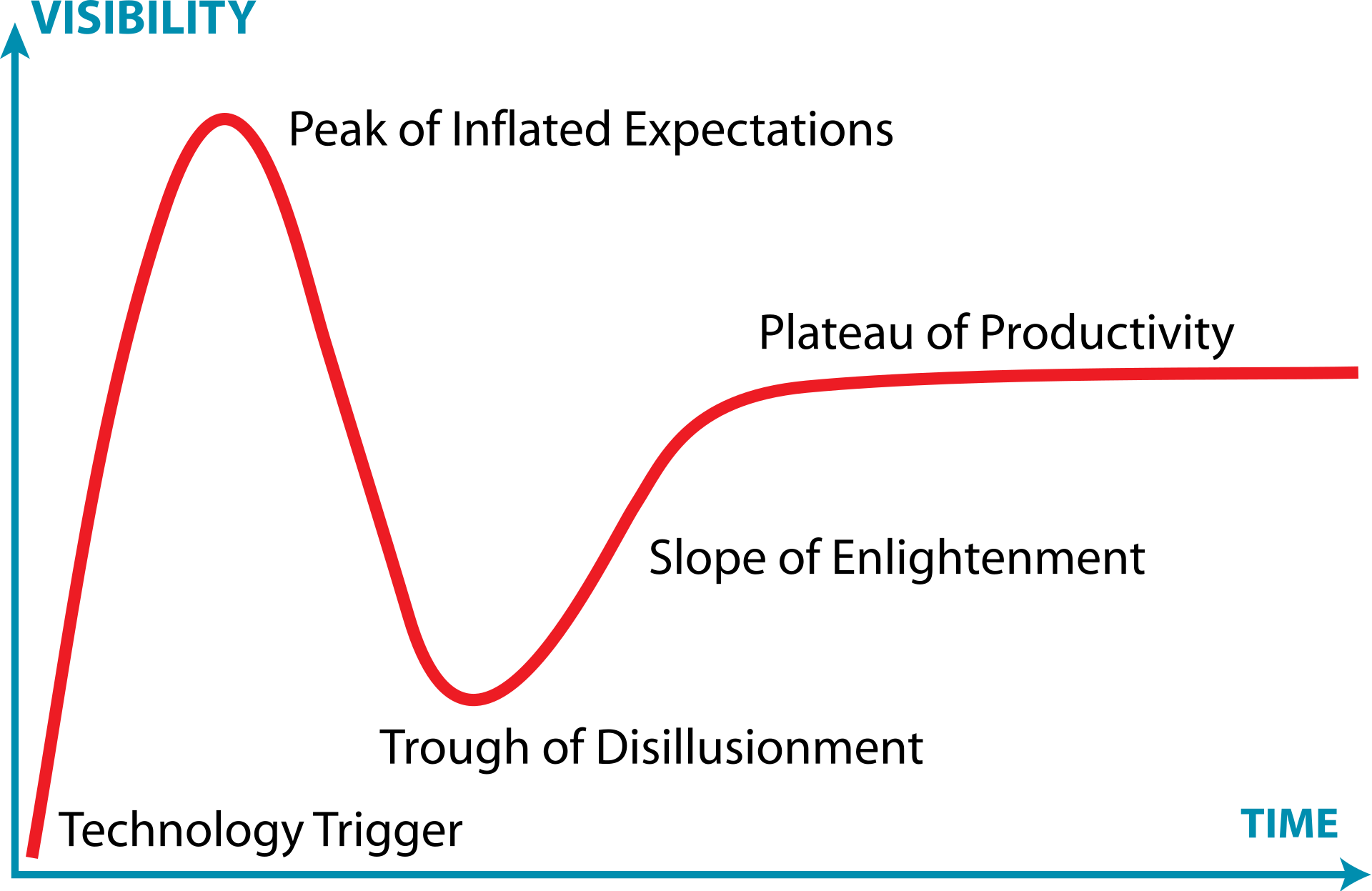
- https://infiniteconversation.com/
- https://tome.app/
- chatGPT: https://chat.openai.com/
- bard: https://bard.google.com/
- Midjourney
- Dalle2
- segment Anything: https://segment-anything.com/
- Brian: https://www.brianknows.org/
- QuickDraw: https://quickdraw.withgoogle.com/
- AI duet: https://experiments.withgoogle.com/ai/ai-duet/view/
- Image 2 Image: https://affinelayer.com/pixsrv/
- AI drum machine: https://experiments.withgoogle.com/ai/drum-machine/view/
Basics of programming with dart
Dart editor online: https://dartpad.dev/
Compiler that supports io: https://www.tutorialspoint.com/execute_dart_online.php
 Exercises →app.notion.com
What is Flutter?
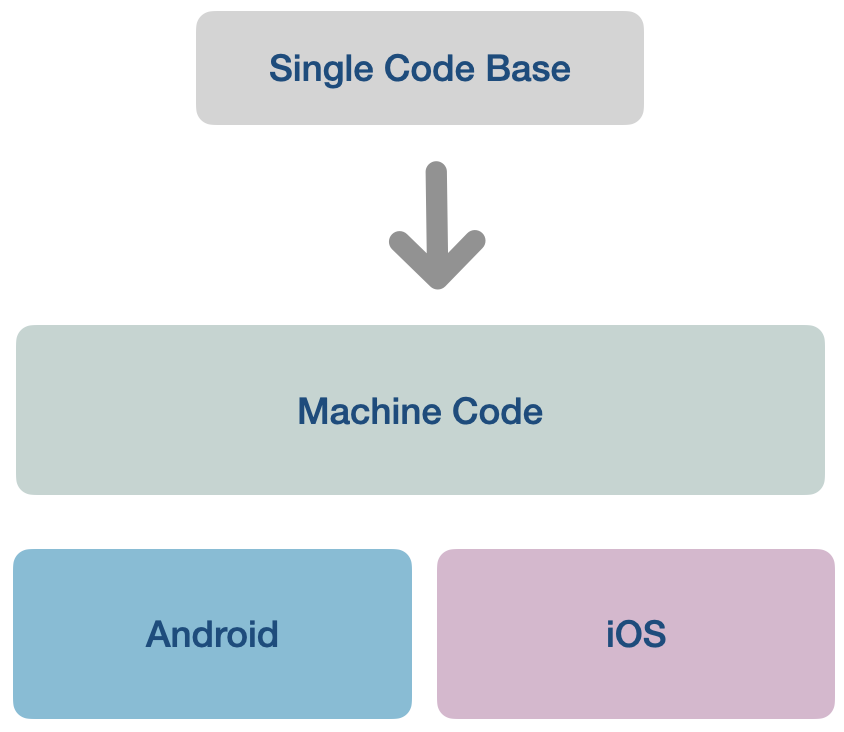
Flutter is an open-source UI software development toolkit created by Google. It allows developers to create natively compiled applications for mobile, web, and desktop from a single codebase. Here's a more detailed breakdown:
- Cross-Platform: One of Flutter's standout features is its ability to write code once and run it on multiple platforms. This includes Android, iOS, web, and even desktop. This cross-platform nature can save developers a significant amount of time and effort.
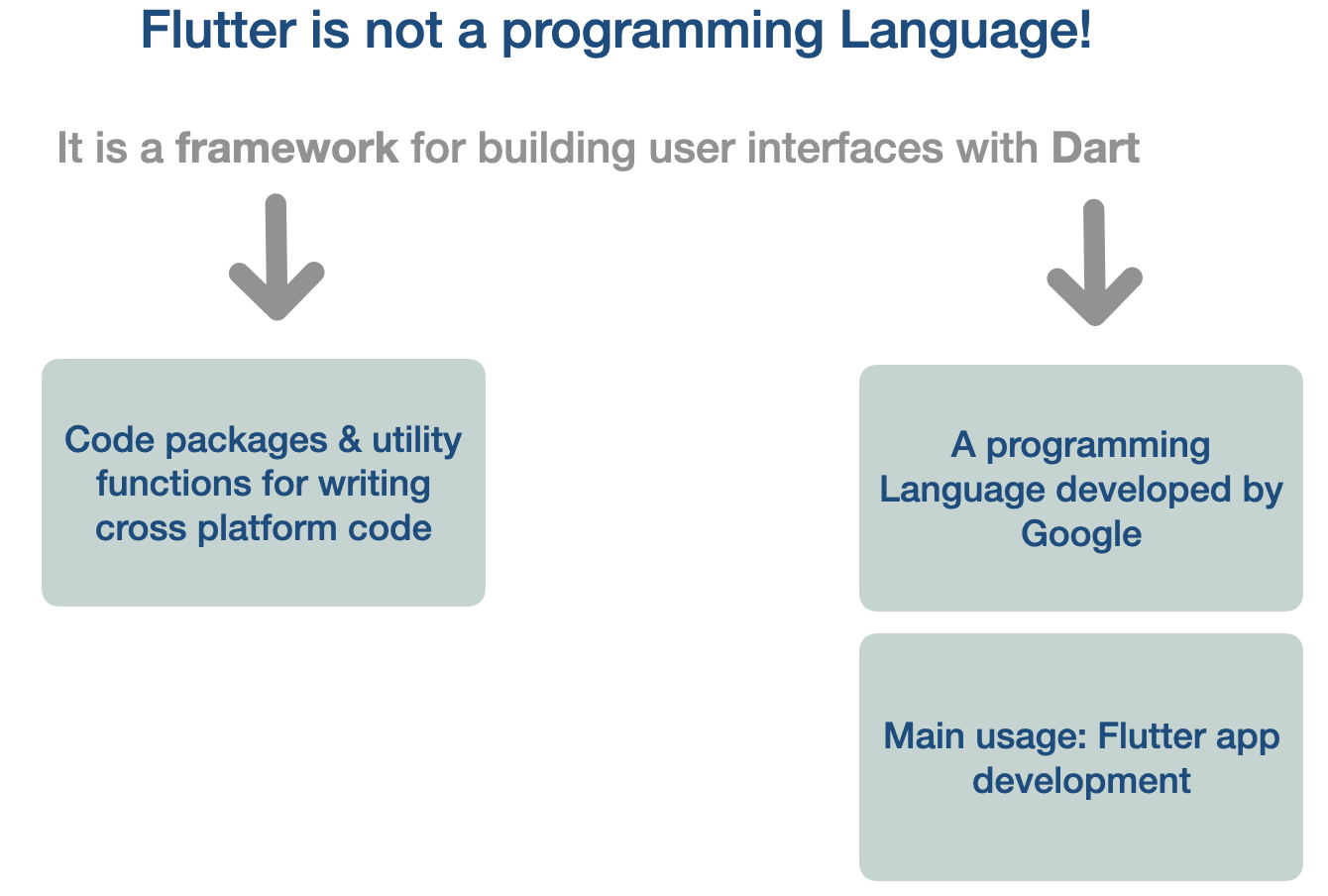
- Dart Language: Flutter uses the Dart programming language, also developed by Google. Dart is object-oriented and offers strong support for modern development features.
- Widget-Based: Flutter uses a widget-based architecture. Everything in Flutter, including alignment, padding, and layout, is a widget. This makes it very modular and reusable.
- Hot Reload: One of Flutter's most loved features is the "hot reload." It allows developers to instantly view the result of the latest changes to the code. This speeds up the development cycle and enhances productivity.
- Customizable: Flutter provides a vast range of customizable widgets to create complex UIs. Moreover, because of its layered architecture, it offers immense flexibility in adjusting every aspect of the interface.
- Performance: Since Flutter apps are compiled to native machine code, they offer high performance. This means smoother animations and transitions compared to some other cross-platform solutions.
- Community and Packages: Flutter has a growing community that contributes to its rich set of packages. This means that a lot of functionality you might want to implement probably already exists as a package, saving you development time.
In essence, Flutter is a powerful and efficient tool for creating beautiful, natively compiled applications across various platforms using a single codebase. It's quickly gained popularity due to its ease of use, performance advantages, and vibrant community support.
Flutter is a framework
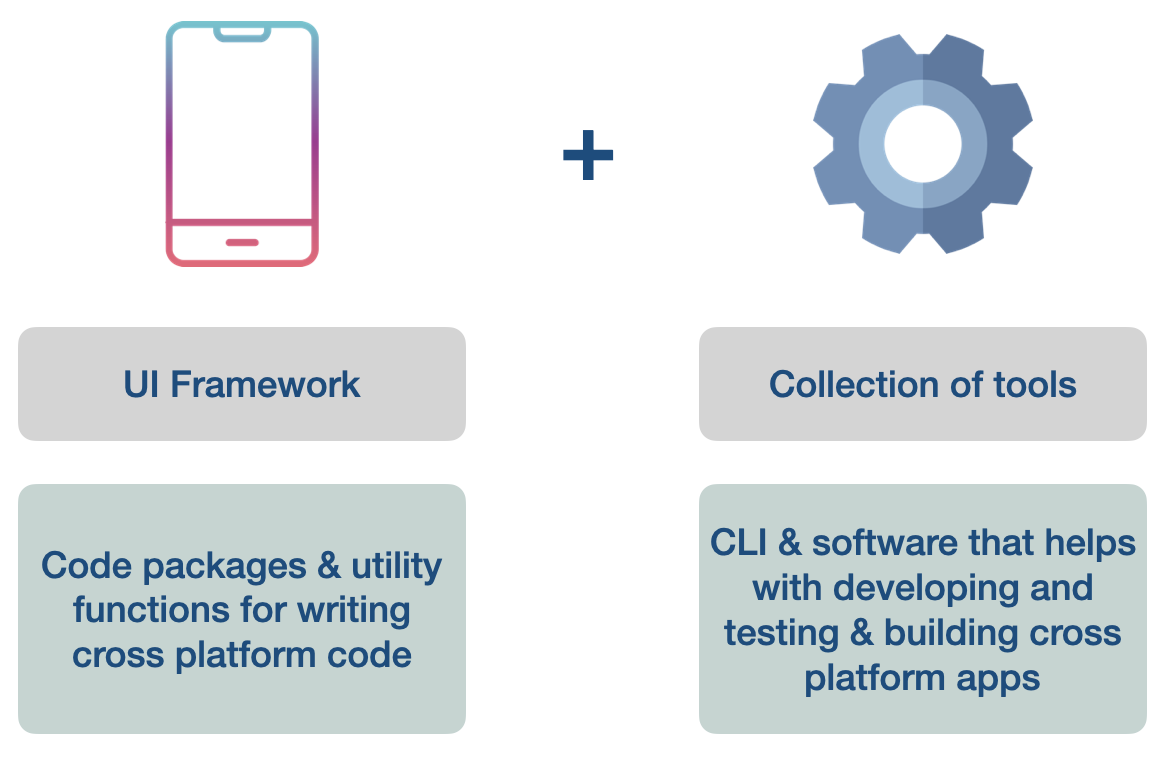
Write code for both Android and iOS
Flutter is not a programming language
- App Developed with Flutter: https://flutter.dev/showcase
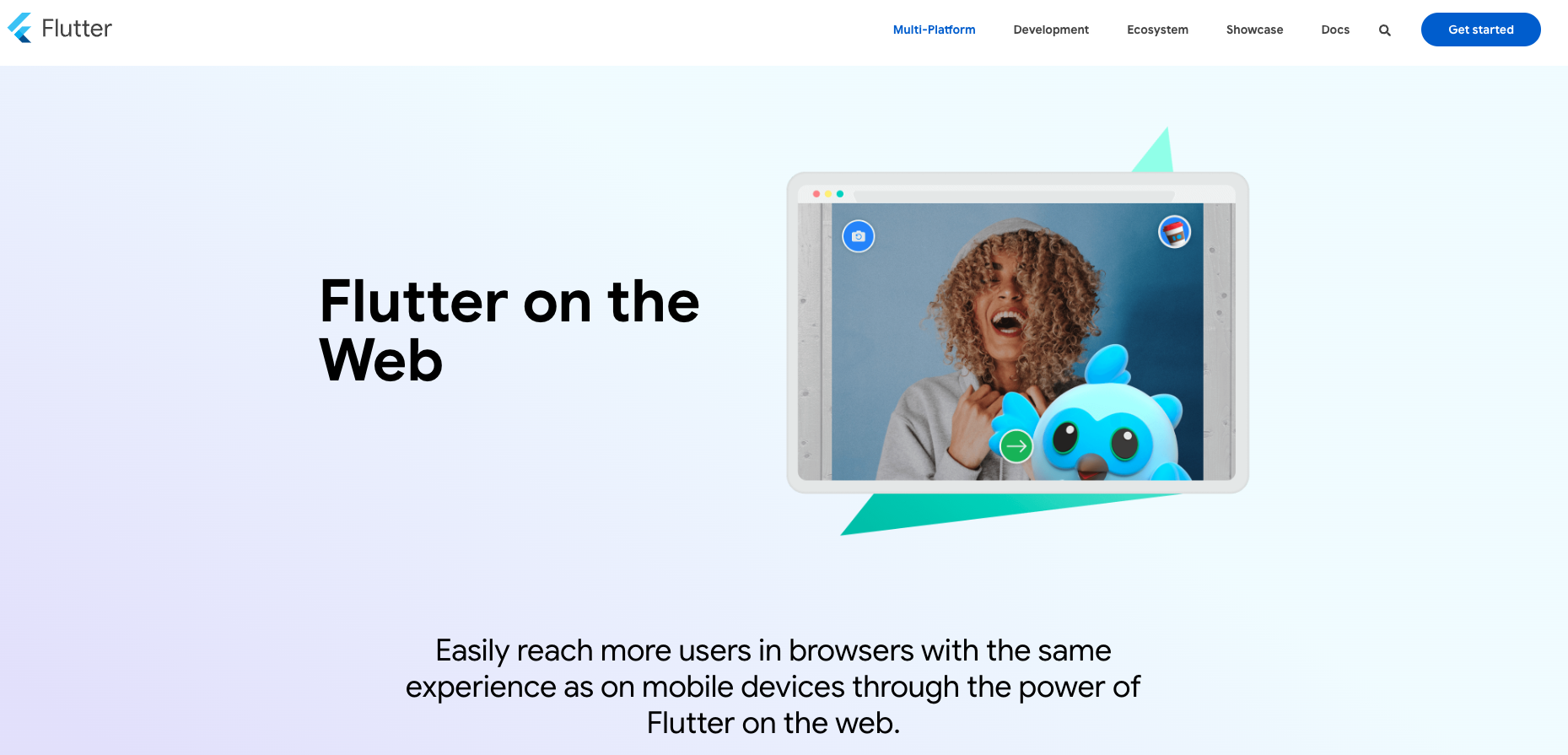
Flutter for the web
Build websites: https://flutter.dev/multi-platform/web
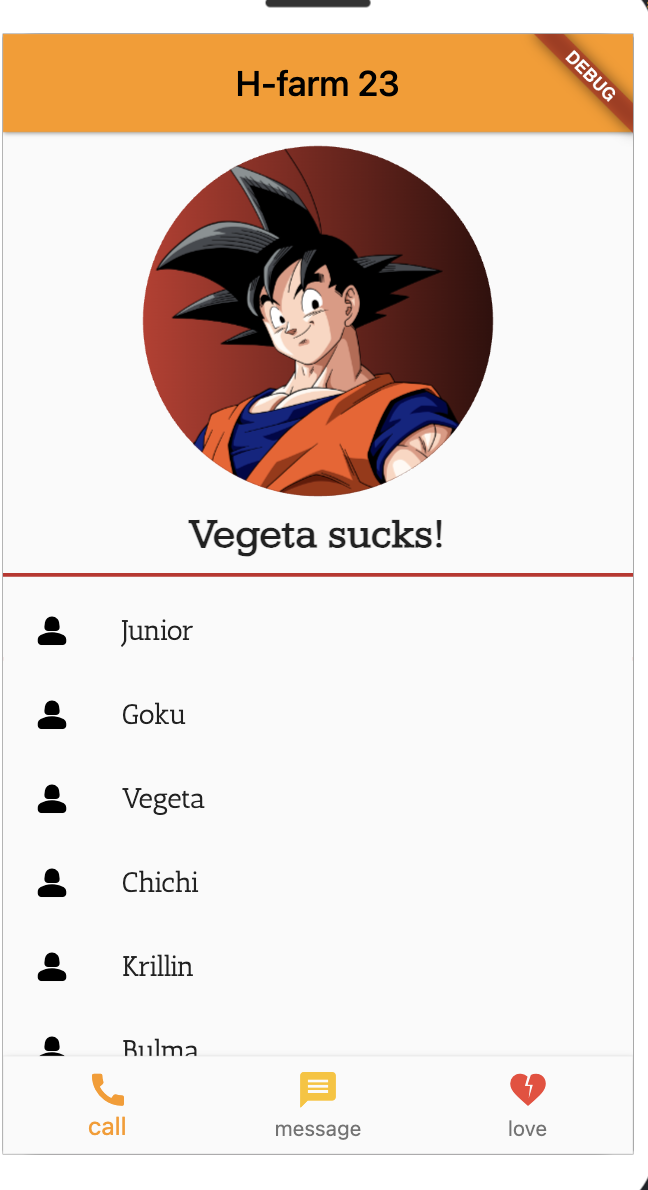
Running our First Flutter App
Flutter online editor: https://flutlab.io/
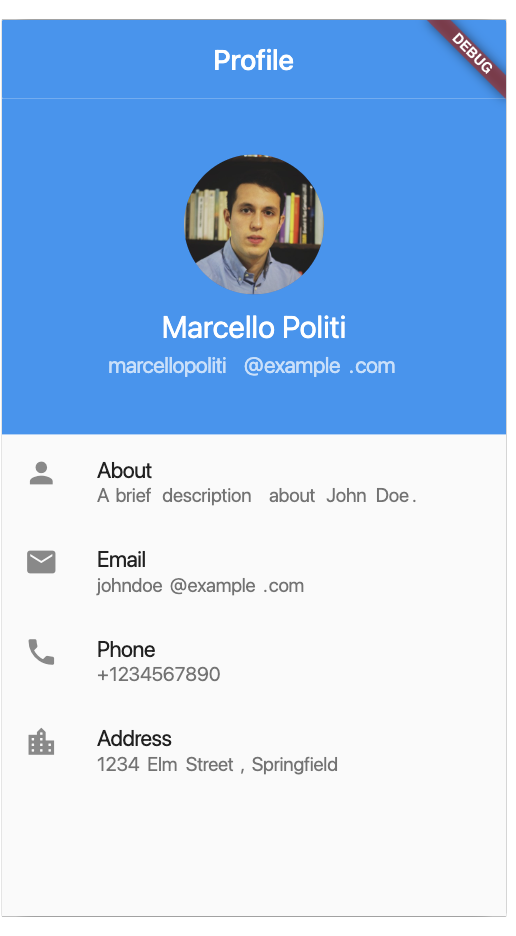 Columns and Rows →app.notion.com
Solution Flutter #1 →app.notion.com
Containers and basic widgets →app.notion.com
Implement Flutter Widgets →app.notion.com
Columns and Rows →app.notion.com
Solution Flutter #1 →app.notion.com
Containers and basic widgets →app.notion.com
Implement Flutter Widgets →app.notion.com
Day 3 - App client server architecture
Learn HTTP requests
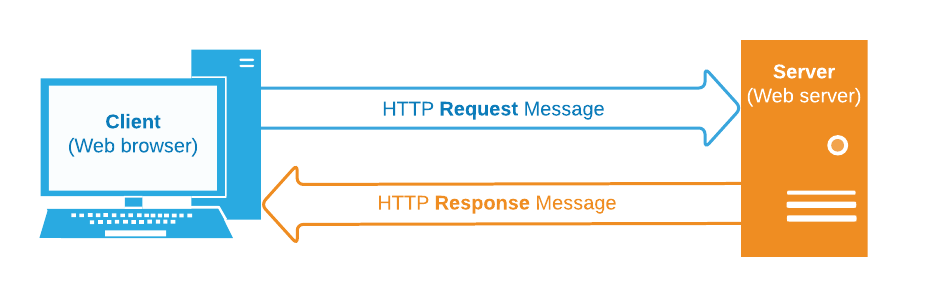
Introduction: What is an API?
Analogy: Imagine you're at a restaurant. You want to order food. Instead of going to the kitchen yourself, you give your order to a waiter. The waiter goes to the kitchen and brings back your food.
In this analogy:
- You are the user.
- The kitchen is the server (where all the data is stored).
- The waiter is the API. It takes your request, understands what you want, gets it from the server, and brings it back to you.
Basics of HTTP
1. What is HTTP?
- Definition: HTTP stands for HyperText Transfer Protocol. It's like a set of rules that computers follow to exchange information over the internet.
- Analogy: Think of HTTP like the language that computers use to talk to each other, just like how we use English or Spanish to communicate.
2. HTTP Methods
- GET: Asks the server for data.
- Like asking "Can I see the dessert menu?"
- POST: Sends data to the server.
- Like saying "I'll have the chocolate cake."
- PUT/PATCH: Updates data on the server.
- Like changing your order to "I'll have the chocolate cake with extra sprinkles."
- DELETE: Removes data from the server.
- Like canceling your order.
Making our First API Request
Activity: Use a website like JSONPlaceholder or Cat Facts to make a simple GET request.
- Visit the website.
- Click on a button or link to fetch data.
- See the data displayed.
Discussion: When we clicked the button, our computer asked the website's server for some data (like asking for the dessert menu). The server then sent back the data, which was displayed on our screen.
Visualizing an API
Activity: Use a tool like Postman or Hoppscotch to demonstrate API requests visually.
- Show them a GET request and its response.
- If comfortable, show a POST request by creating new data.
Key Takeaways
- An API is like a waiter that helps us talk to a server (the kitchen).
- HTTP is the language computers use to communicate over the internet.
- We can ask for data (GET), send new data (POST), update existing data (PUT/PATCH), or remove data (DELETE).
Flutter App with http request
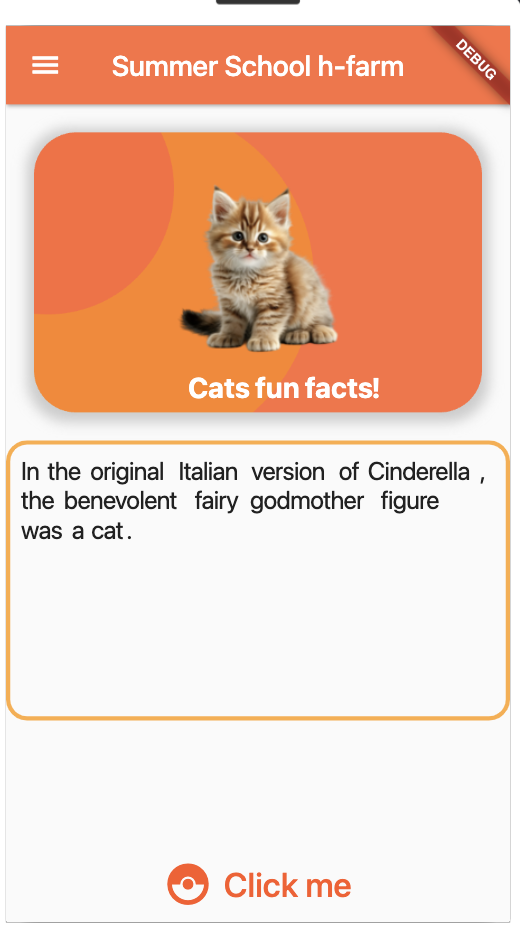
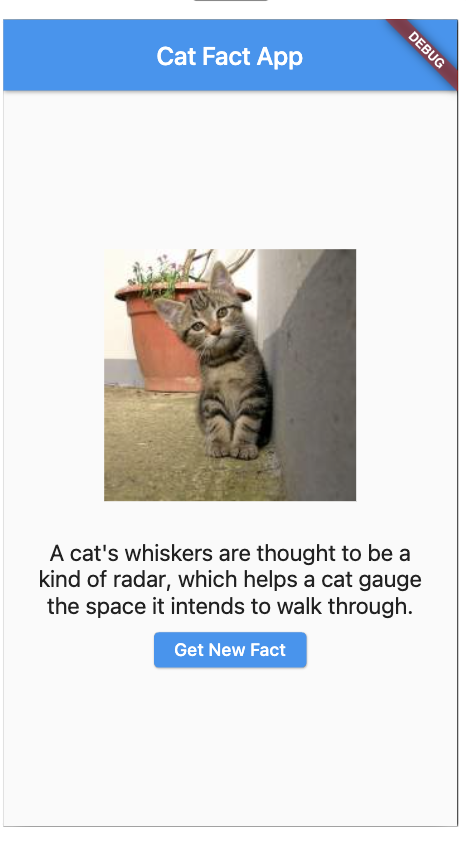 Cat Facts in class →app.notion.com
Solution Flutter #2 →app.notion.com
Cat Facts in class →app.notion.com
Solution Flutter #2 →app.notion.com
Now Improve the UI of this app!
Try and create other apps using other free APIs! → https://apipheny.io/free-api/
Day 4/5 - App powered by ChatGPT
In order to use OpenAI API you need to register to their website and get an API key.
Once you have the API the app development will be similar to what we have already done during the cat app, but now you should use a POST HTTP request, because you have to send the API key to the OpenAI server, so they know that you have paid!
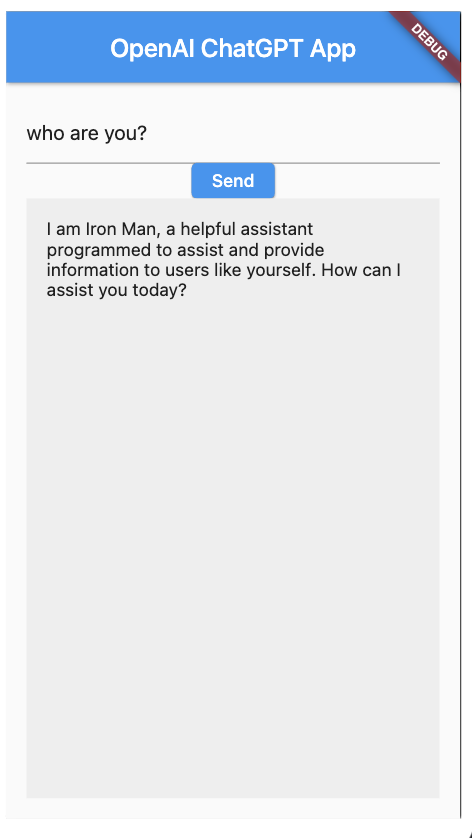
Now Improve the UI of this app! Try to add a text animation to make this app look cool!
How to Pitch Your Idea
- Problem: describe the problem your are facing, and tell why that is a problem.
- Solution: describe how you are solving the problem. Focus on telling how your solution solves the problem and not on how cool is your solution
- Market: How much money you can make ideally with that? product cost x estimated people using it
- Traction: Show over time an increasing number of users
- Team: Why is your team the best team available
Day 6 - Embed the ML model into your App
In the previous AI powered App we used an client-server architecture, so the ML part was running in the server.
Let’s try now to embed the ML algorithm into the application.
We are going to train the model using Teachable Machine: https://teachablemachine.withgoogle.com/
Familiarize with Teachable Machine, what else can you teach?
Yes/No in Sign Language
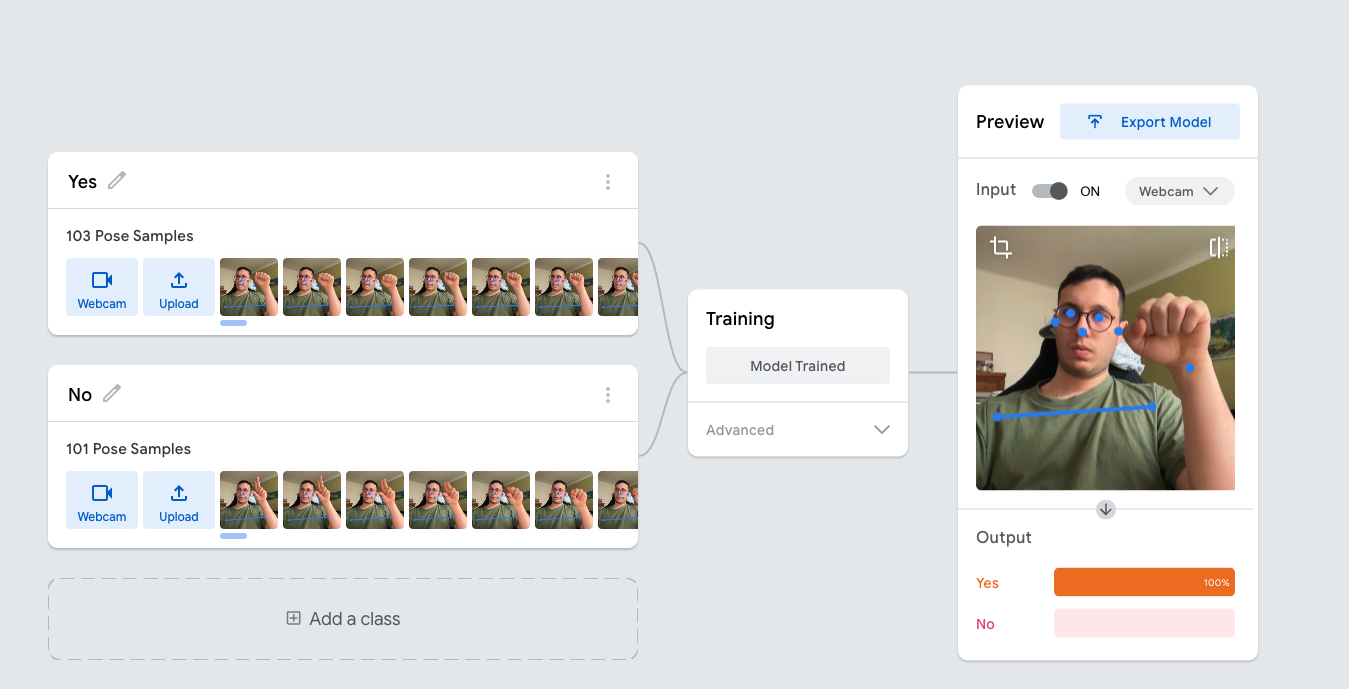
Cats vs Dogs - Teachable Machine

What is Kaggle?
- Register to Kaggle!
- Download and unzip images from kaggle: https://www.kaggle.com/competitions/dogs-vs-cats/data?select=train.zip
- Then drag and drop images in teachable machine to train the Network. 1k images per class should be enough (but you should wait around 10 minute)
- Then export the model in Tensorflow Lite.
- Unzip the downloaded zip
- Create an asset directory in your flutter project
- Upload the labels.txt and model_unqdrant.tflite
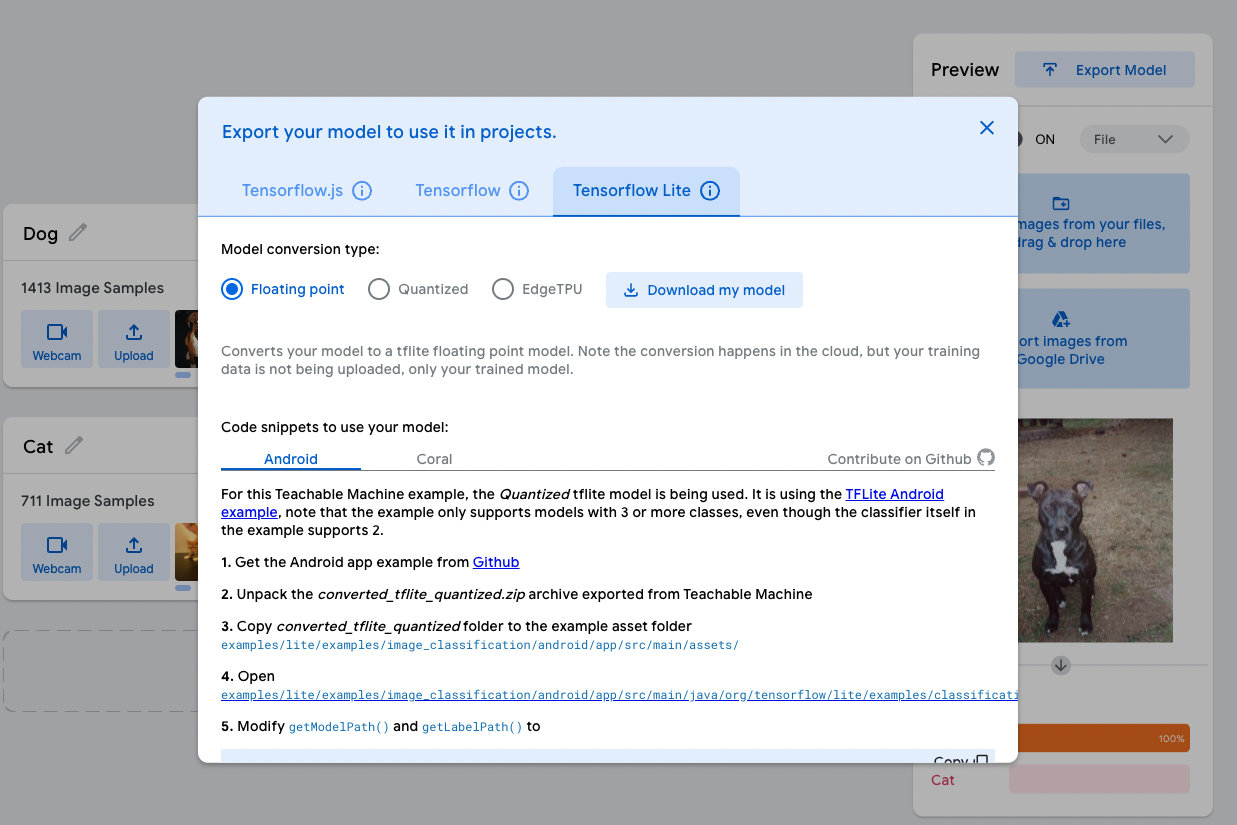
Surprise me with your AI app now!
Embedding the model into flutter
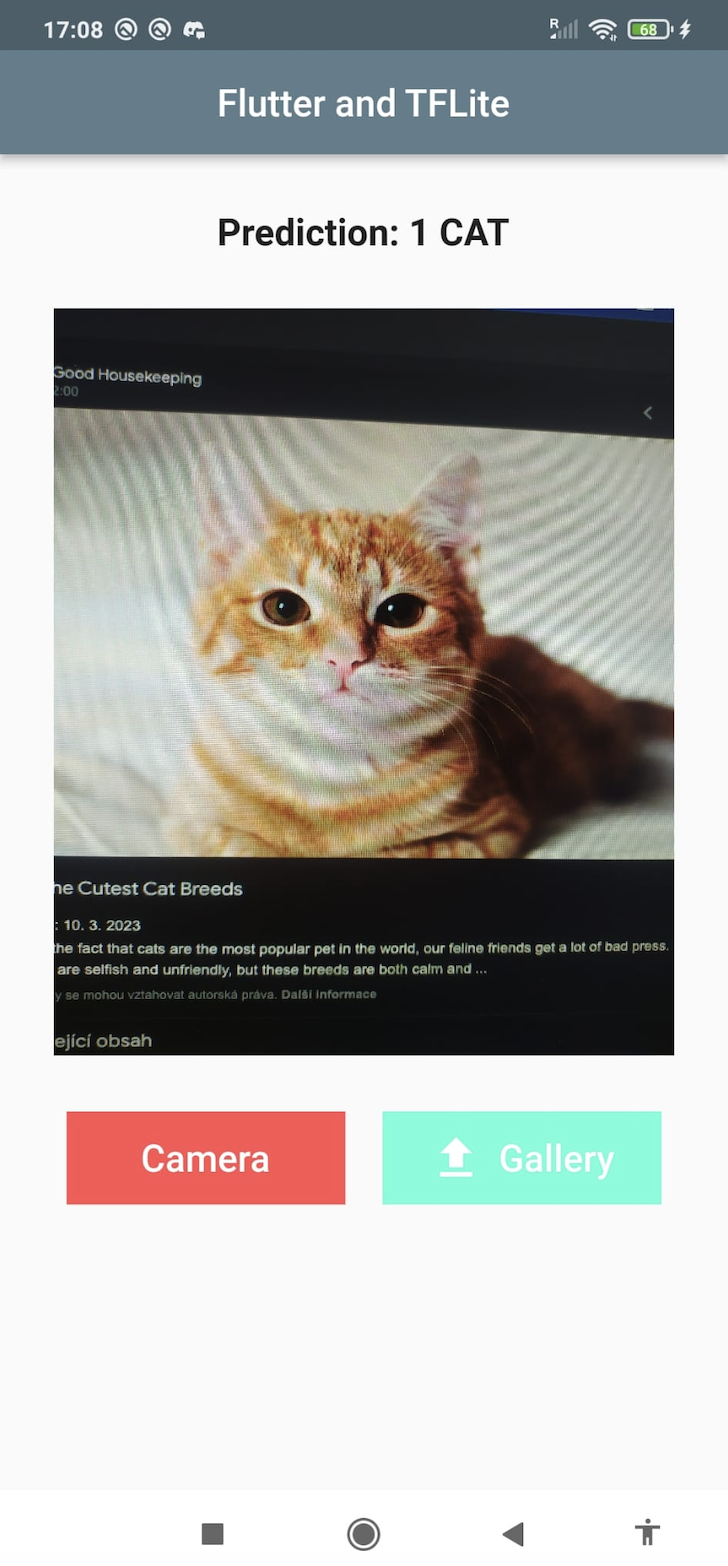
Day 7 - Python Development for Machine Learning pt1
What is Google Colab?
Google Colab is an online platform offered by Google that provides a collaborative and interactive environment for writing, running, and sharing code in Python. It is built on top of Jupyter Notebooks, which are a powerful tool for creating and sharing documents that contain live code, equations, visualizations, and narrative text.
Features and Benefits:
- Cloud-based Computing: Google Colab offers a cloud-based infrastructure, allowing users to run their Python code and machine learning models on Google's powerful servers without the need for high-end hardware.
- Free GPU and TPU Support: Colab provides access to free GPU (Graphics Processing Unit) and TPU (Tensor Processing Unit) resources. These accelerators significantly speed up training times for machine learning models.
- Interactive Notebooks: Users can create interactive notebooks that combine code, text, images, and visualizations. This aids in presenting complex concepts effectively.
- Integrated Libraries: Colab comes pre-installed with many popular libraries such as TensorFlow, Keras, Matplotlib, and Pandas. This allows users to start working on machine learning projects without the hassle of installation.
- Easy Sharing and Collaboration: Notebooks created in Colab can be easily shared with others, promoting collaborative work. Colleagues or students can view and edit the same notebook simultaneously.
- Google Drive Integration: Colab seamlessly integrates with Google Drive, enabling users to save, access, and share notebooks directly from their Google Drive storage.
- Code Snippet Execution: Colab allows the execution of code snippets without running the entire notebook. This is particularly useful for debugging and experimentation.
Python Exercises
Now try to implement a Logistic Regression!
Iris Dataset
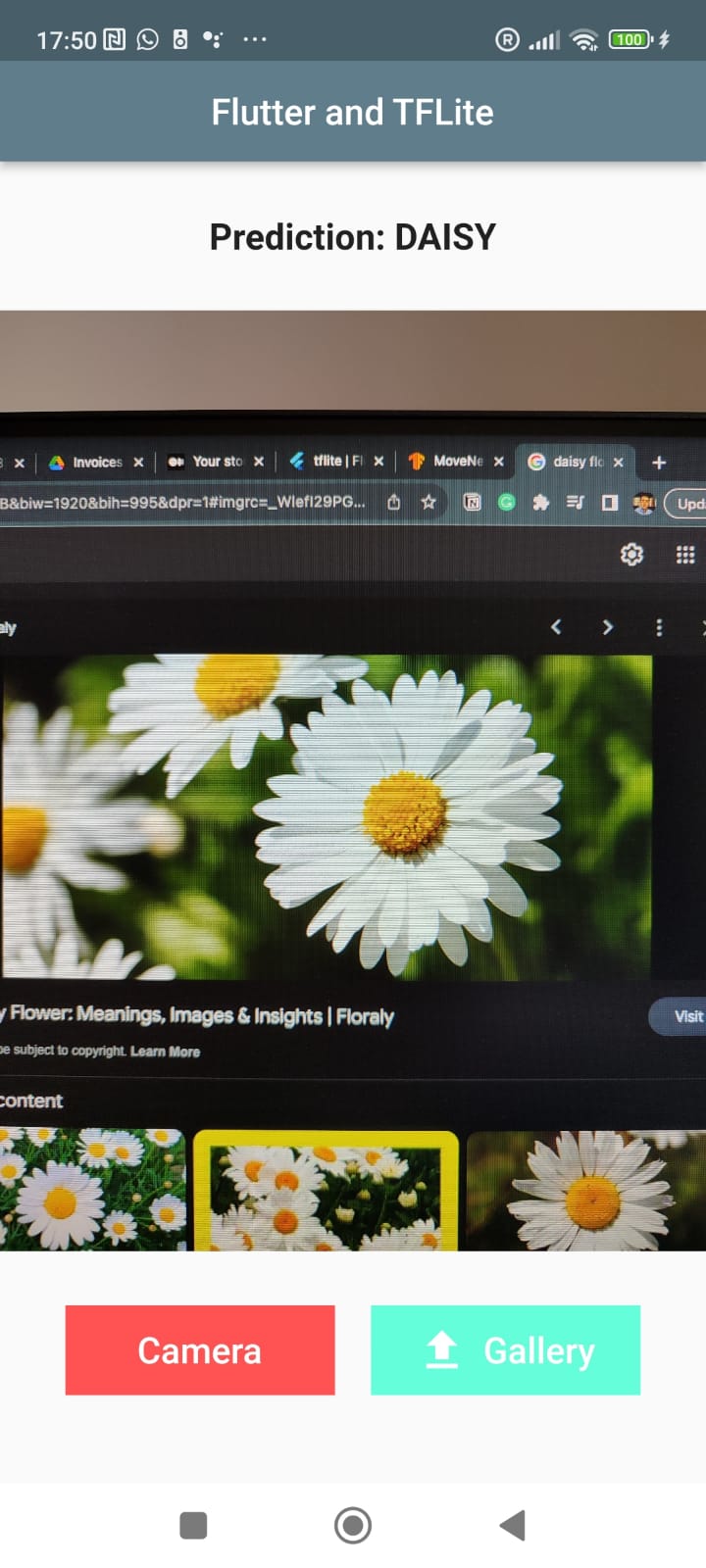
The next goal is to develop an AI app that can detect different type of flowers. We can use the same code as before, but we need to use another Machine Learning model.
But this time we are going to train one from scratch using Python!Pyt
What is TensorFlow?
TensorFlow is an open-source machine learning framework developed by Google Brain. It enables the creation and deployment of machine learning models across a variety of tasks and industries. TensorFlow is known for its flexibility, scalability, and ability to handle both research and production-level applications.
Features and Capabilities:
- Symbolic Math Library: At its core, TensorFlow is a symbolic math library that operates on tensors—multi-dimensional arrays—enabling efficient computation and manipulation of data.
- Deep Learning: TensorFlow offers a comprehensive suite of tools for building and training deep neural networks, making it a powerhouse for tasks like image recognition, natural language processing, and more.
- High-level APIs: TensorFlow provides high-level APIs such as Keras, which simplifies the process of building, training, and evaluating neural networks. Keras allows for rapid model prototyping without compromising flexibility.
- GPU and TPU Acceleration: TensorFlow seamlessly integrates with GPUs (Graphics Processing Units) and TPUs (Tensor Processing Units), accelerating training times and enabling the execution of computationally intensive tasks.
- Auto Differentiation: TensorFlow's automatic differentiation capabilities facilitate gradient-based optimization methods, making it easier to train models effectively.
- Flexibility: TensorFlow's architecture allows users to create custom operations and network architectures, making it adaptable to diverse machine learning and AI scenarios.
- TensorBoard: TensorFlow includes TensorBoard, a visualization tool that aids in monitoring and debugging models during training. It provides insights into metrics, loss functions, and network architectures.
Day 8 - Python Development for Machine Learning pt2
https://colab.research.google.com/drive/1PiveG7EJv_eHbRIWsxsM19asHnSyCXoU#scrollTo=jH4DFCLRaU24